Tag: orchestration

  • Rancher 2.4+ installation notes

    I really like Rancher. Used in v1.x, now I’m back at a point where I might need it. Also I want to pitch it to my colleagues, which means I need to have a quick and dirty setup to fool around with. The Rancher Terraform (love it) modules are huge, and I wanted to have a simpler method (which I understand more) for my first training session with the guys.

    These are my notes:

  • The state of things – technology

    It’s been a while. I am currently pretty burned out, and the work keeps getting more. This is bad. But let’s talk about some challenges right now. So this is an overview of our …

    Technical state

    We’re still using Rancher. Rancher is super cool, but has the annoying habit of completely crashing about once every two months, leading to a full cluster outage for anything between 1-3 hours. Usually about 2. I still love it, but we matured in our needs, and maybe Rancher needs time to catch up (cause our needs are sometimes a bit “special”). But the Rancher team is making great progress in the right directions, and I am fully competent that Rancher will take a place in the orchestration space. Still we’re thinking about moving to K8s, simply because so much is already there.

    We’re using Prometheus for monitoring now. Rocks. Period.

    We’re still using AWS. Many of our customers would prefer Azure Germany. If you didn’t know – Azure in Germany advertises a “Data Custodian” mode, or “Data Trustee” model, not sure how to translate this and too lazy to look it up. This means that in Germany the data centers are running the true Azure stuff, but they are actually fully operated by Deutsche Telekom.

    Advantage, you ask? Easy. When the DOJ sends one of those super secure letters to Microsoft for “give me your data”, they simply forward this to Deutsche Telekom. They will probably frame it on a wall somewhere, but I don’t think they will actually give out the data. Problem solved. (We all hope :))

    We are almost done with setting the whole cloud up using Terraform. It became a really mature project over the last year, and we are super happy with the progress it’s making. Also, with Azure in the works for us (some cusomers …) this is a cool way to just manage all with the same tooling. Infrastructure as code, eh.

    We try to migrate away from Teamcity to Jenkins. We didn’t succeed yet. Too little manpower.

    But the more interesting thing is in the next post, for me at least 😉

  • Migrate Rancher database from container to external

    I wanted to switch from an in-container database setup to an external database setup. And I didn’t know what happens when you just lose all database contents, and I thought with Docker and some tweaking that should also not be necessary. So I just migrated the databases. Here’s what I did for those interested:

    • stop rancher
    • use a container (sameersbn/mysql) to mount the rancher database content and do a mysqldump
    • import the dump into the external database (AWS RDS instance)
    • start rancher up with different parameters (use external database, as described in the official docs)

    And now the actual command lines:

    # create socket directory
    $ cd RANCHER_MYSQL_MOUNT
    $ mkdir sockets
    
    # start sameersbn/mysql to have a mysql container for dumping everything
    $ docker run -d --name temp-mysql -v $(pwd)/sockets:/var/run/mysqld -v $(pwd):/var/lib/mysql sameersbn/mysql
    
    # dump the database
    $ mysqldump -S ./sockets/mysqld.sock --add-drop-database --add-drop-table --add-drop-trigger --routines --triggers cattle > cattle.sql
    
    # restore the database in AWS / whatever
    $ mysql -u USERNAME -p -h DB_HOST DB_NAME < cattle.sq
    

    (Don’t forget to stop the sammersbn container once you’re done). I have configured puppet to start rancher. The final configuration in puppet looks like this:

    ::docker::run { 'rancher-master':
      image   => 'rancher/server',
      ports   => "${rancher_port}:8080",
      volumes => [],
      env     =>  [
        "CATTLE_DB_CATTLE_MYSQL_HOST=${db_host}",
        "CATTLE_DB_CATTLE_MYSQL_NAME=${db_name}",
        "CATTLE_DB_CATTLE_MYSQL_PORT=${db_port}",
        "CATTLE_DB_CATTLE_MYSQL_USERNAME=${db_user}",
        "CATTLE_DB_CATTLE_MYSQL_PASSWORD=${db_pass}",
      ],
    }
    

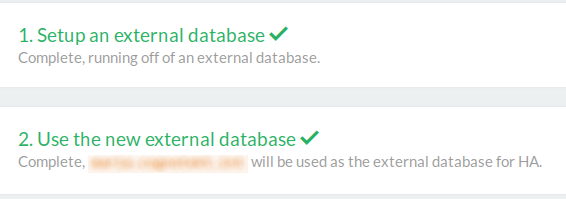
    Restart, and it seems to be working just fine. To check go to http://RANCHER_URL/admin/ha (yes, we still use HTTP internally, it will change), and you should see this:

    setup screen

    Nice.

  • Rancher IAM role

    Rancher can create instances on EC2. If you want to define a dedicated IAM user for this, refer to the Amazon docs for the a profile template.

    Unfortunately the first thing you get when using those permissions in rancher is “You are not authorized”. Great. I’ll update this when I know the correct permissions.

    (Source: Rancher docs)